Havenwarden

Free to start, for households

Know what's in the fridge, what to cook, and what to buy.

Havenwarden ties your inventory, recipes, shopping list, chores and spending together, so the milk gets used before it expires and nobody buys a third jar of cumin.

Free to start, and it works in your phone's browser. Already have an account? Sign in to your dashboard.

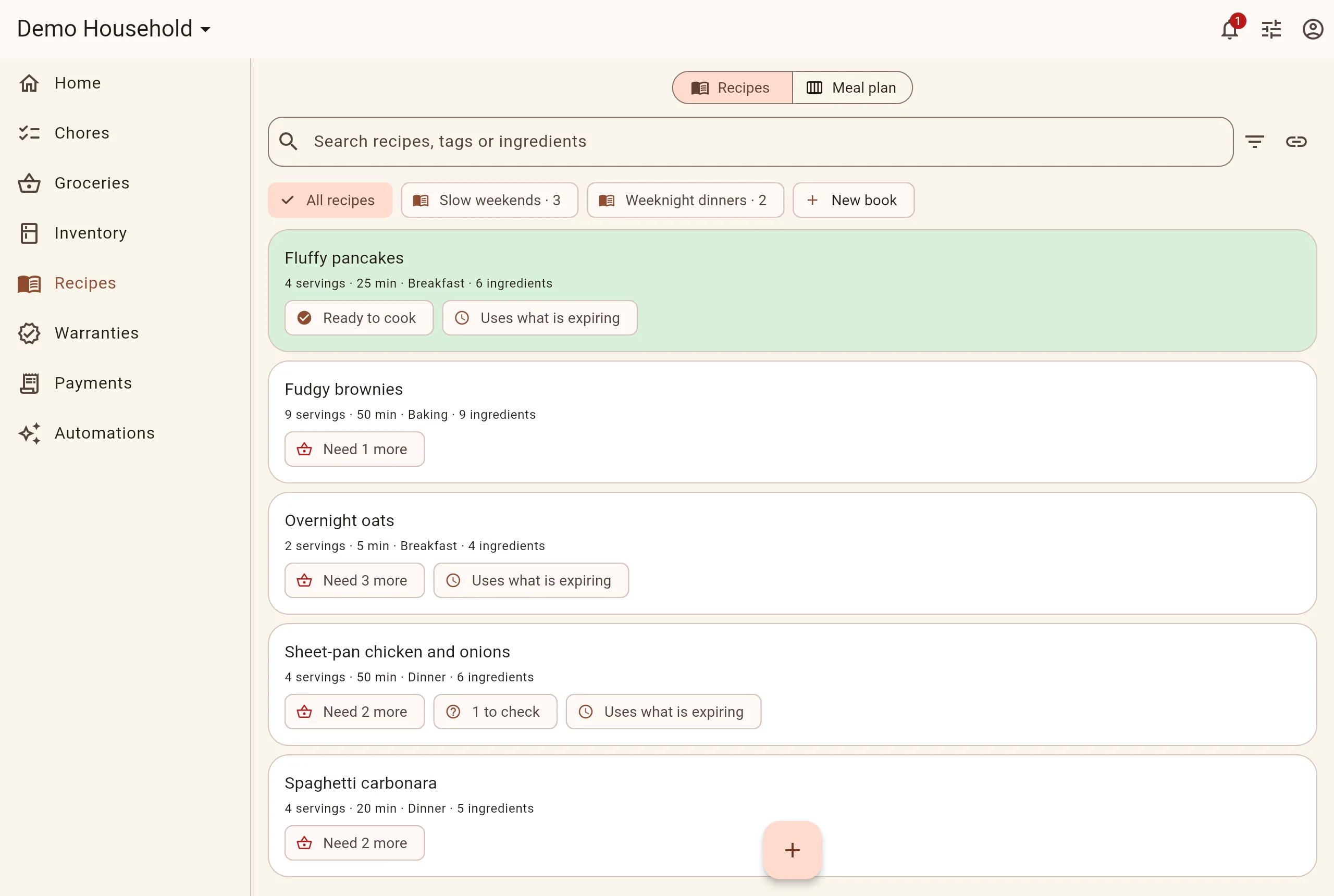
The Recipes screen: recipes you can cook now are green, and each says what is missing or uses what is about to expire.
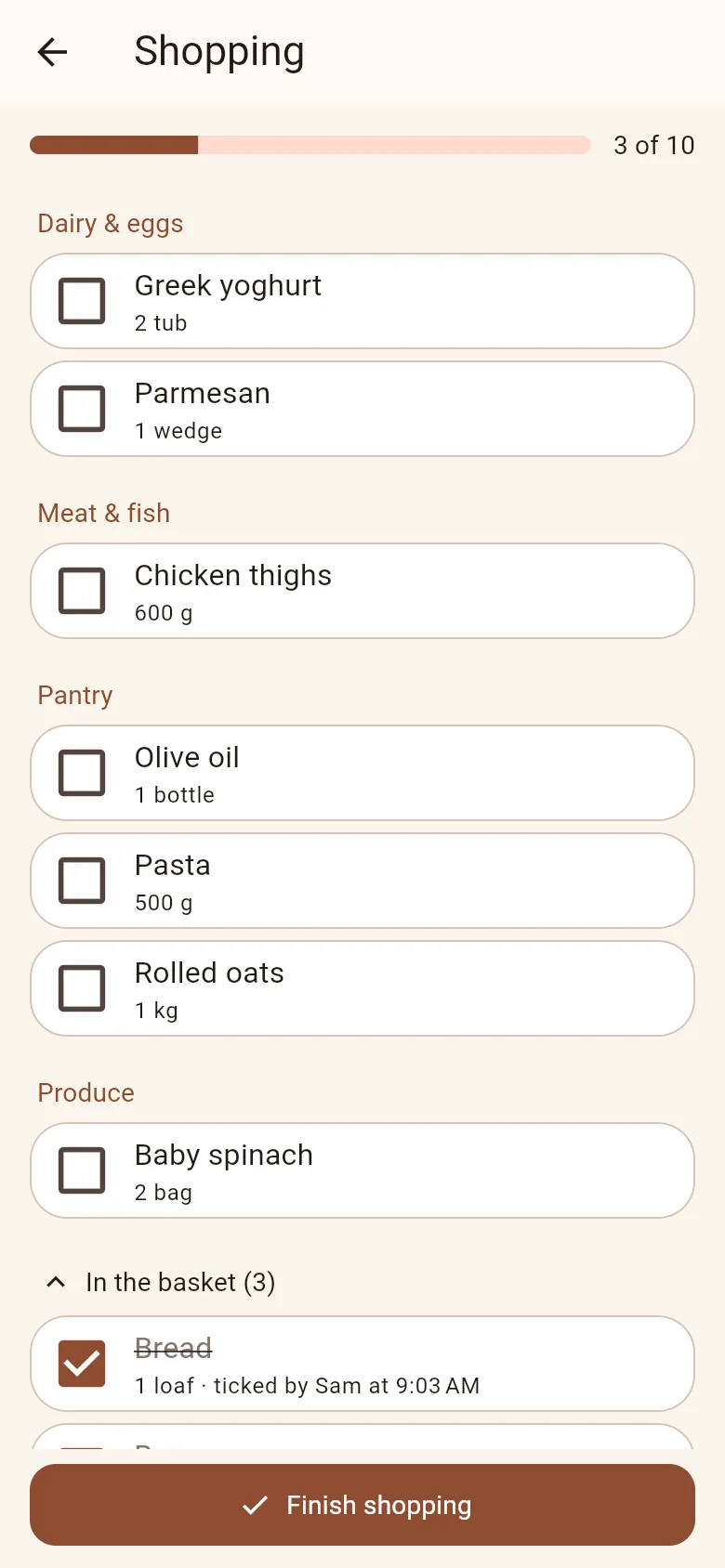
Shopping mode on a phone: the list sorted into aisles, with items ticked off by another member of the household.

One loop, instead of five apps

A list app doesn't know what's in your fridge. A recipe app doesn't know what's about to expire. Havenwarden connects them.

  1. 1

    Stock

    Finish a shop and it goes onto your inventory list, with expiry dates and where it lives.

  2. 2

    Cook

    Recipes check themselves against what you have, whatever the brand, and favour what's about to go off.

  3. 3

    Shop

    Whatever's missing goes on one list the whole household shares, live.

  4. 4

    Learn

    See what got thrown away, why, and what it cost, next to what you spend.

Inventory

See what's about to go off, before it does

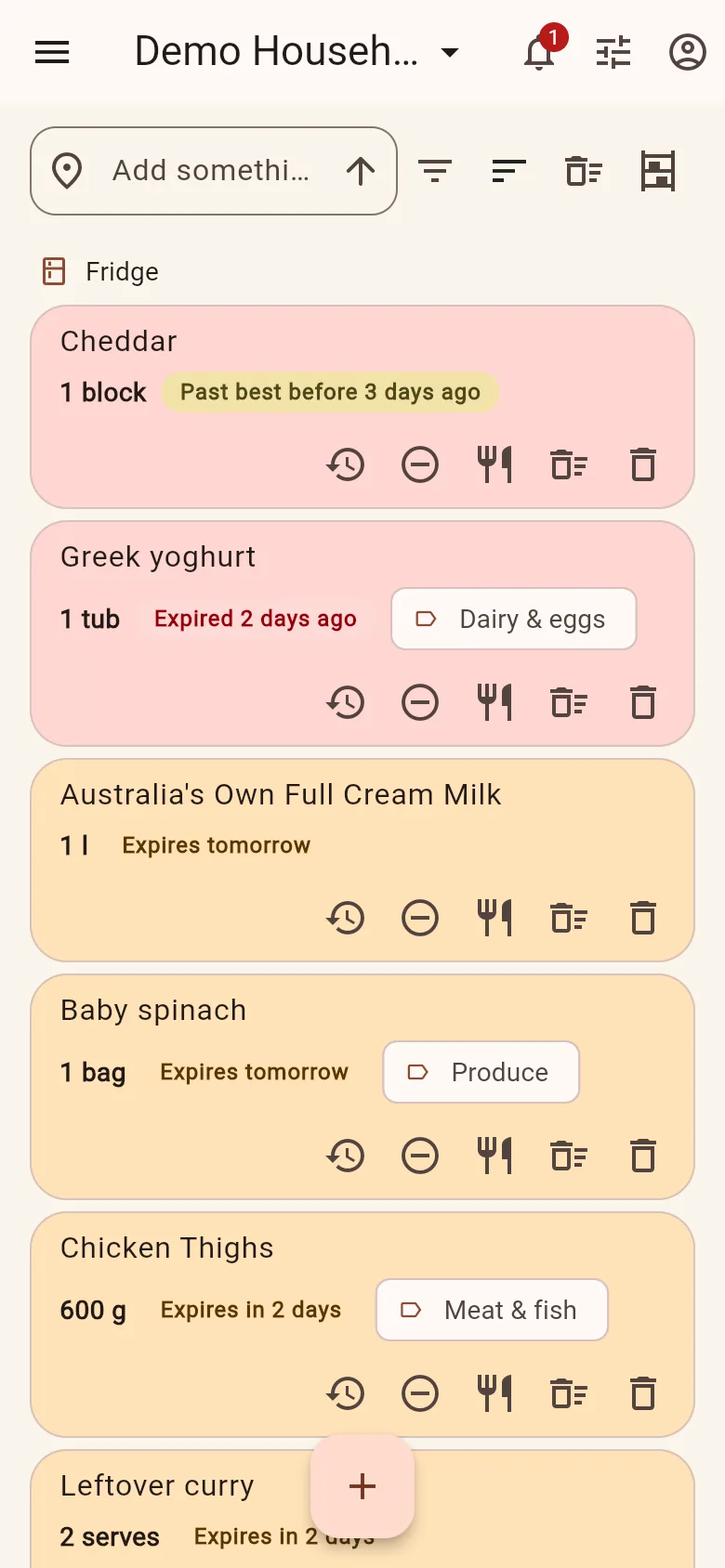
Past-date items go red and close ones go orange, so the fridge tells you what to use first. Use-by and best-before are different things, and Havenwarden treats them differently: past best-before is a nudge, past use-by is a problem.

  • Fridge, freezer, pantry and your own places
  • "Used some", "threw it away" and "added by mistake" are one tap each, and are kept apart
  • Running low? It suggests the item for your shopping list
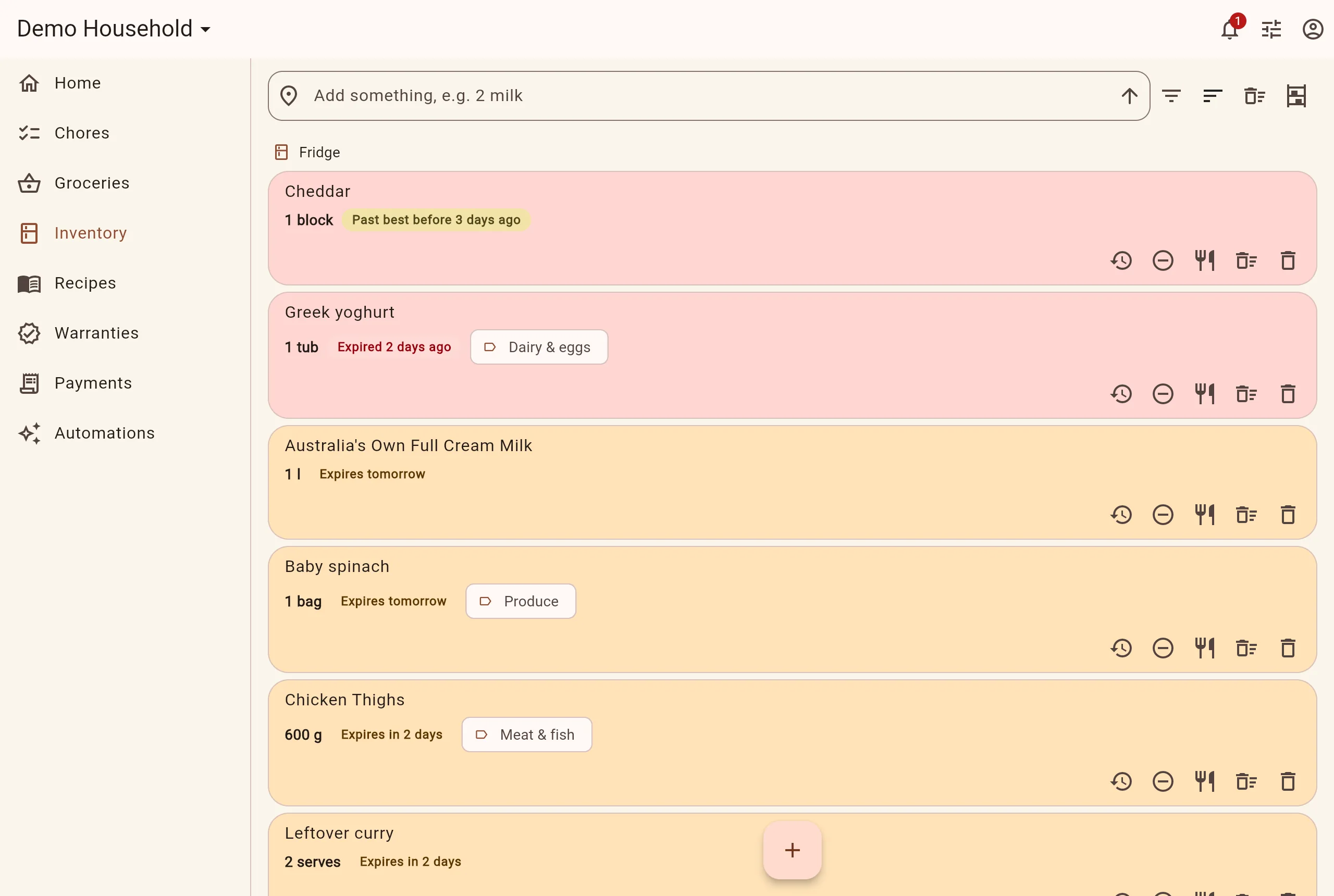
The inventory: expired items in red, items expiring in the next days in orange, each with quick actions.

Recipes

Cook from what you actually have

Write "milk" in a recipe and any milk you own counts, whichever brand. Havenwarden shows which recipes you can cook right now, which use what's expiring, and puts what's missing on the list in one tap.

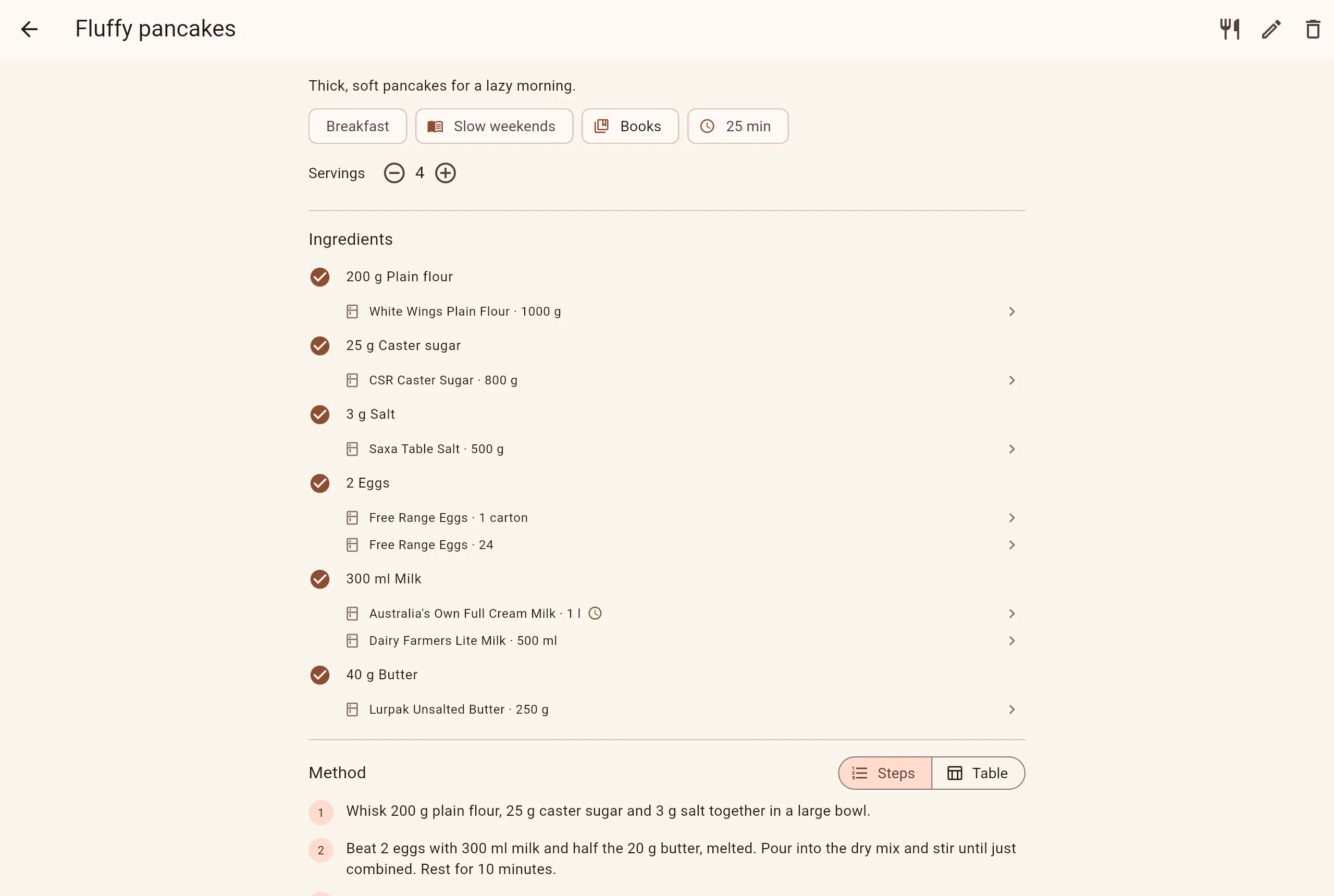
  • Amounts in the steps scale with the servings, not just the ingredient list
  • Recipe books and tags, filterable together
  • Import from a web page, a cooking mode, and a table format for the way experienced cooks think
  • Tap an ingredient to see the exact item you'd use, and when it expires
A recipe: each ingredient shows whether you have it and which items in your inventory would be used.

Meal planner

Plan the week, then shop once

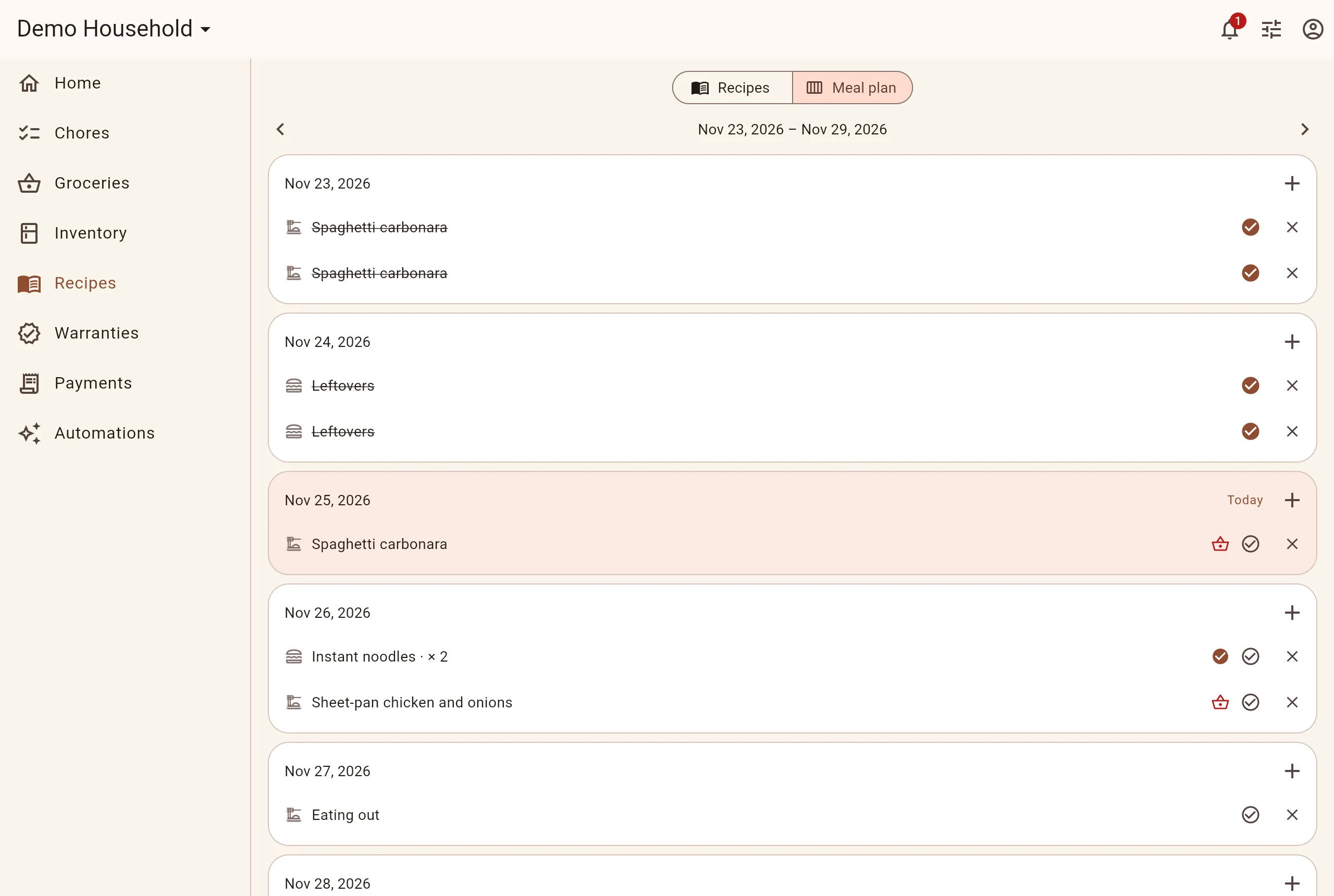
Put recipes on the week, or a one-item instant meal like noodles that needs no recipe. One button adds everything the week still needs to your shopping list, counting what's already in the cupboard.

  • See at a glance which meals you can already make
  • Tick a meal as eaten and instant meals come out of stock
The meal planner: a week of dinners, an instant meal, a night out, and which meals can be cooked from stock.

Shopping, together

Everyone ticks off the same list, live

Shopping mode sorts the list into aisles with big targets, and shows who got what as it happens. If you lose signal in the shop, your ticks wait for you and sync when you're back.

  • Filter to one store; finish the shop and it all lands in the inventory
  • Price history for what you buy, store by store
Shopping mode on a phone.
The inventory on a phone.

Waste and money

See where food and money go

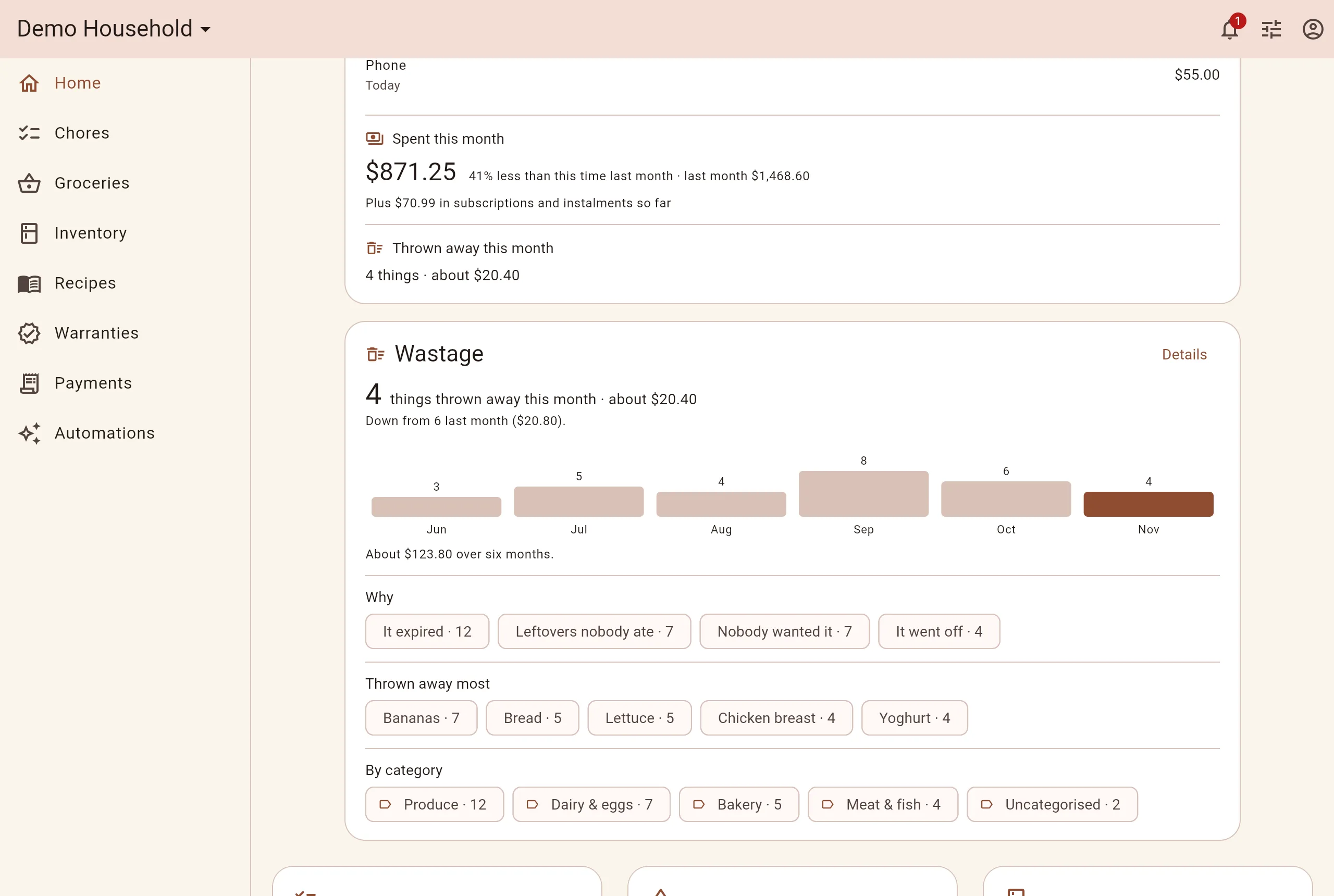
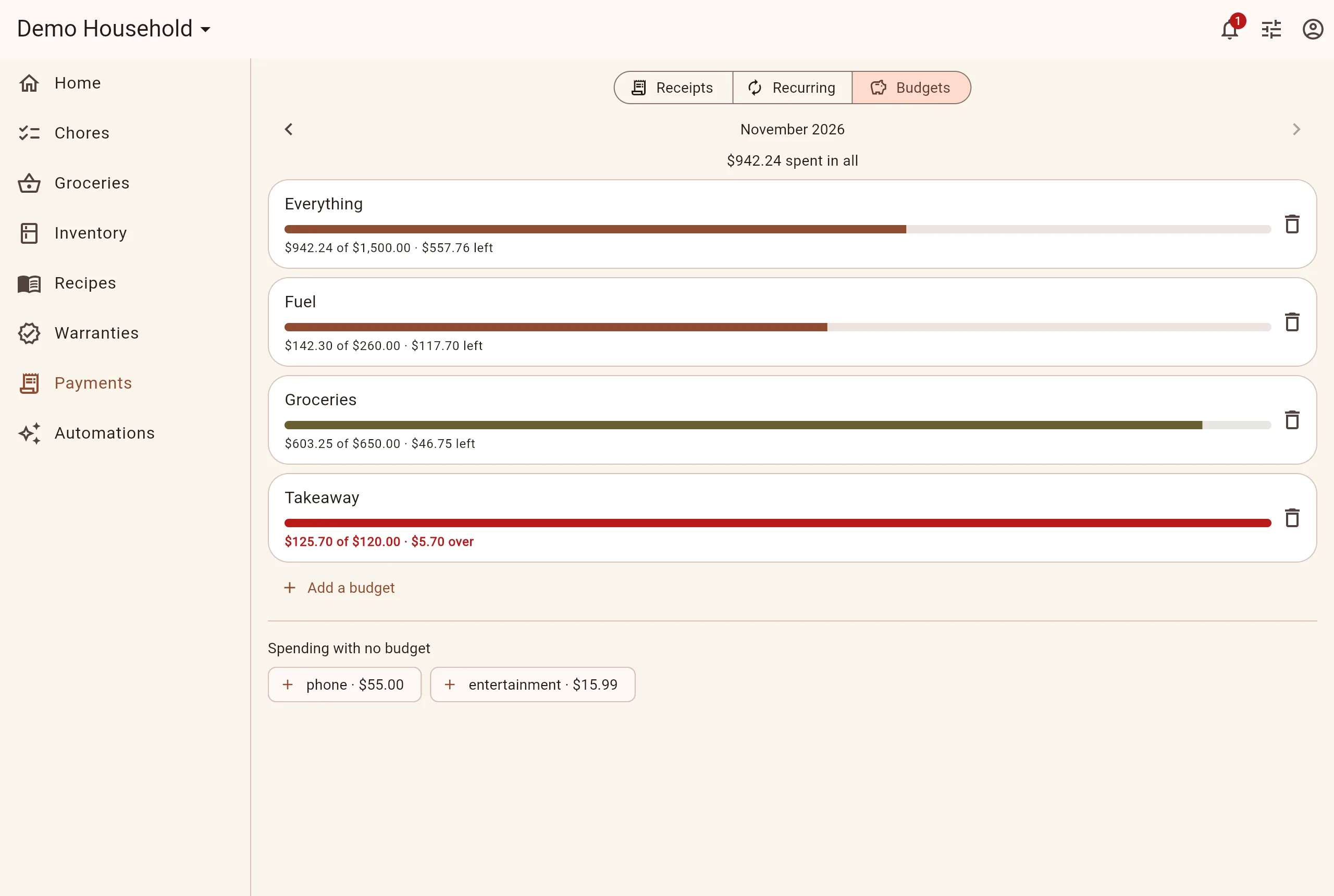
A six-month view of what got thrown away, why, and what it cost, right on Home. Budgets per category, measured against your receipts and subscriptions, tell you early when you're close.

  • "It expired" vs "nobody wanted it": the reasons are what you can fix
  • Receipts with photos, and subscriptions with a heads-up before the final payment
The wastage summary: six months of items thrown away, the reasons, and the things thrown away most.
Monthly budgets by category with how far each has got.

Chores

Chores, without the arguments

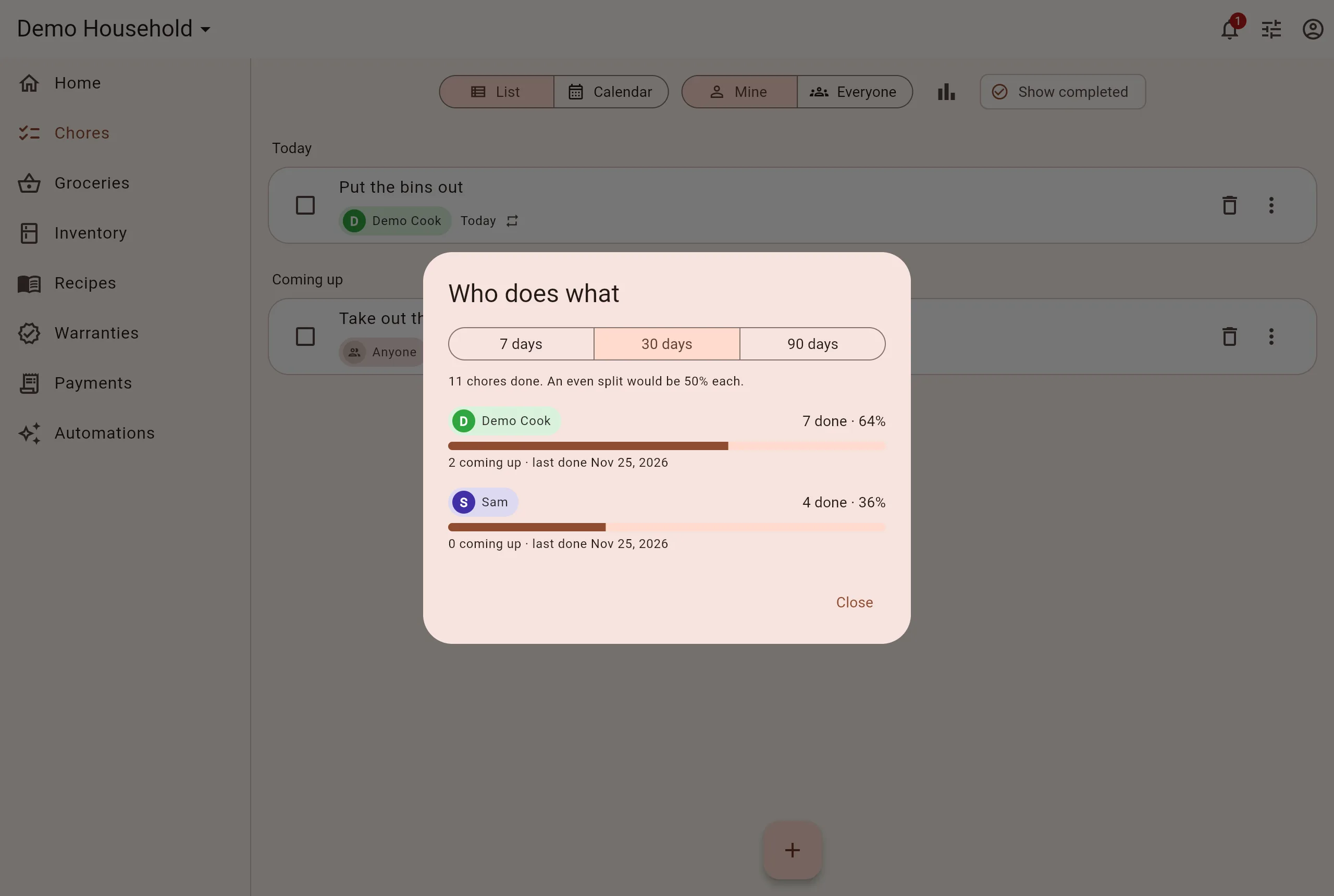
Repeating chores, rotations, reminders, and an undo for when you tap the wrong one. "Who does what" shows how the last month actually split, so a rotation can be judged by the numbers.

Who does what: each member's share of the chores done over the last 30 days.

And the rest of the house

Warranties

Warranties, parts and manuals in one place, with a reminder before cover ends.

Today

One page for what needs you today: chores, what to use up, what's charged, what you've spent.

Daily summary

A short note each morning: what's expiring, what's charged today, what's planned to eat.

Automations

"When something runs low, tell me", with sensible limits so it never runs away.

Roles

Admins, members, and permissions you set, for the household you actually have.

Your data is yours

Export everything as a file, or delete your account, whenever you like.

Questions you'd ask

Is it free?

To start, yes. The free plan covers the whole loop for your household, with up to 10 automations. Havenwarden Plus is $3.99 a month or $39 a year for the whole household and removes that limit; see the details. Prices are shown in your own currency.

Do I have to type everything in?

Some, at first. The easy way in is to finish a shop: what you bought goes onto your inventory list. Tracking a fridge only works if it stays roughly right, so we're keen to hear how that goes in a real kitchen. Scanning a receipt from a photo is the thing we'd like to add next.

Does it work on my phone?

Yes, in your phone's browser, and the screenshots above are that. Android and iOS apps are planned, but not ready.

Is it for one person or a household?

Either. It's built for a household of two or more sharing the work, with roles for who can change what, but it's useful on your own too.

What happens to my data?

It's yours. You can export everything as a file or delete your account at any time, and a household only ever sees its own data. See the privacy note.

Stay in the loop

Android and iPhone apps, more languages and new features are on the way. Leave your email and we'll write when there's news.

A short note when there's news, and nothing else. We don't share your address. Privacy note.